
Purpose of software setup for SME managers
- David Rawlinson
- Jun 5
- 9 min read

TL;DR:
Proper software setup ensures applications are installed, configured, and secured to maintain operational stability and compliance within business IT environments. It involves dependency resolution, system integration, security verification, and scheduled deployment, which prevent system conflicts, security gaps, and outages. Implementing documented policies, approval workflows, and automation tools like Intune enforces consistency, reduces risks, and meets ISO 27001 requirements for audit readiness.
The purpose of software setup is to ensure that applications are correctly installed, configured, and secured so they operate reliably within your business IT environment. For small and medium-sized enterprises, this goes far beyond clicking “next” through an installer wizard. A proper setup process handles dependency resolution, system integration, and security validation, all of which determine whether software performs as expected or creates costly disruptions. Standards such as ISO 27001 and tools like Microsoft Group Policy exist precisely because software setup is a multi-layered process that protects operational stability, not just a technical formality.
What is the purpose of software setup in a business context?
Software setup, known in IT governance as software installation control, is the structured process of deploying applications in a way that integrates them safely with your existing systems. The distinction matters because many business owners treat installation as a one-time task rather than an ongoing governance responsibility.
When Adobe Photoshop 2024 is installed on a workstation, the installer does not simply copy files. It resolves dependencies, registers components with the operating system, updates environment variables, and verifies that the software has not been tampered with during download. Each of these steps exists to prevent instability. Skip one, and you may face crashes, security gaps, or conflicts with other software months later.
For SME managers, understanding the importance of software installation means recognising that the setup process sets the foundation for everything that follows: performance, security, compliance, and the ability to support your team without unplanned outages. The software configuration purposes extend well beyond the initial install date.

What are the critical components of a software setup process?
A well-managed setup process involves several layers that operate simultaneously. Understanding these layers helps you ask the right questions when working with IT providers or internal teams.
Dependency resolution. Software rarely operates in isolation. An accounting application may require a specific version of Microsoft .NET Framework or a particular database driver. If these dependencies are missing or mismatched, the software fails silently or crashes unpredictably. Proper setup identifies and installs all prerequisites before the main application launches.
System integration. Installers write to the Windows registry, configure environment variables, install device drivers, and register background services. These changes tell the operating system how to interact with the new software. Without them, the application cannot communicate with printers, network shares, or other business tools.
Security verification. Reputable installers include cryptographic checksums or digital signatures. These confirm that the software package has not been altered between the developer’s server and your machine. Skipping this step is how malware enters business networks disguised as legitimate software.
Performance optimisation. Installers detect your hardware configuration and tailor settings accordingly. A server-grade application installed on a laptop without this calibration will consume excessive memory and slow the entire machine.
Managed deployment via Group Policy. For businesses with multiple workstations, Microsoft Group Policy allows IT administrators to push software installations centrally, controlling exactly when and how each machine receives the update.
Pro Tip: Before any new software rolls out across your business, request a written dependency list from your IT provider. If they cannot produce one, that is a warning sign that the deployment has not been properly planned.
How does software setup support operational efficiency?
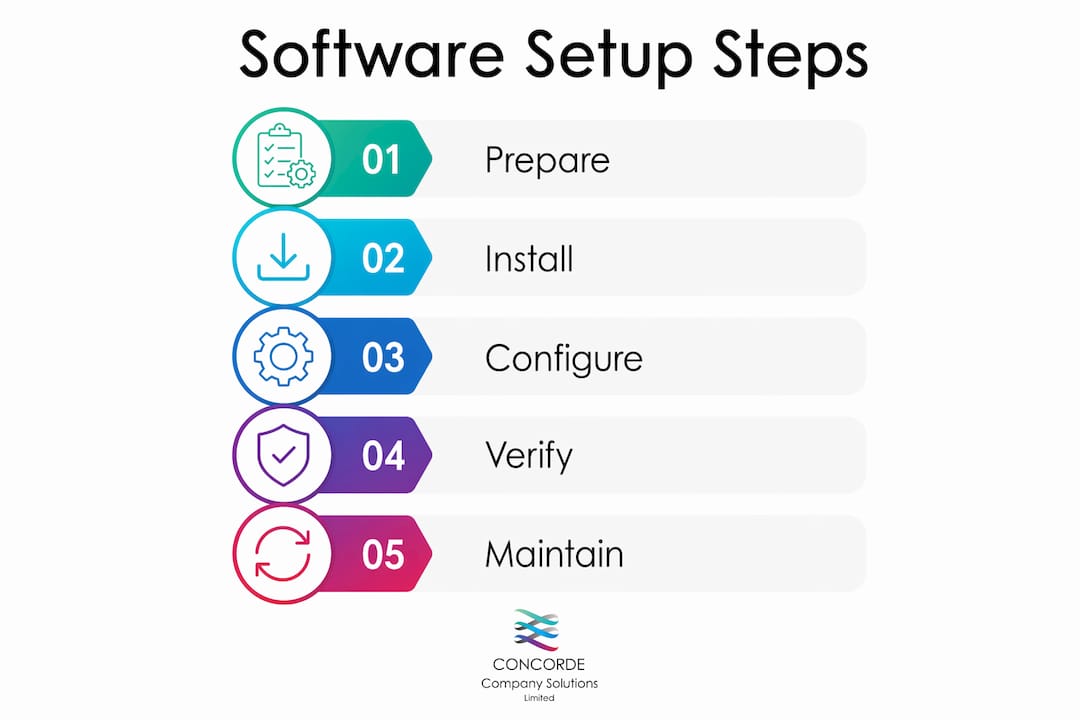
The software setup benefits for operational efficiency are most visible when something goes wrong. A poorly configured application creates what IT professionals call “configuration drift,” where individual machines gradually diverge from the intended setup. One workstation runs a different version of a payroll tool, another has a conflicting plugin, and suddenly your finance team cannot reconcile figures across machines.
Configuration management tracks and enforces the desired state of software systems to prevent exactly this kind of drift. Tools like Ansible, Puppet, and Chef automate the process of checking that every machine matches the approved configuration and remediating any deviations automatically. For an SME without a dedicated IT department, this kind of automated consistency is the difference between a stable working environment and a constant cycle of ad hoc fixes.
Scheduling also matters. Microsoft Group Policy’s installation timing controls allow deployments to occur at computer startup or during user logon, meaning staff arrive to a fully updated machine without losing working hours to installation prompts. This is a straightforward software installation goal that many SMEs overlook entirely.
Consider the practical impact: a 20-person business where each employee loses 45 minutes to a poorly timed software update loses 15 hours of productive time in a single morning. Proper scheduling eliminates that entirely.
Pro Tip: Stage your deployments. Roll out new software to a pilot group of two or three users first, verify that everything works correctly, and only then push to the full team. This single habit catches the majority of compatibility issues before they affect everyone.
Repeatable setups reduce the time spent troubleshooting individual machines.
Auditable configurations mean you can prove what is installed and when, which matters during financial audits.
Scheduled rollouts protect revenue-generating hours from unnecessary interruption.
Automated remediation via configuration management tools catches unauthorised changes before they cause outages.
Why is software setup essential for compliance and security?
ISO 27001 Annex A 8.19 mandates documented software installation processes to protect operational system integrity. This is not optional guidance for businesses that handle client financial data. It is a formal requirement that auditors check with specific evidence in mind.
The standard requires four things that most SMEs do not have in place by default:
Documented installation policies that define which software is approved, who can approve new additions, and what the process is for emergency installs.
Restricted administrative privileges so that individual employees cannot install unapproved software on their own machines.
Approval workflows that connect every installation to a formal change request, typically managed through tools like Jira or SharePoint.
Audit trails that record what was installed, by whom, and when, so that any incident can be traced back to its source.
Restricting local admin rights and using central management tools is not just good practice. Auditors flag the absence of these controls as a non-compliance finding. Allowing any employee to install software freely is the single most common gap Concorde Company Solutions Limited sees when reviewing new SME clients’ IT arrangements.
Software updates sit within this same governance framework. Timely security patches only protect systems if they are installed promptly and consistently. A patch that sits undeployed for three weeks because there is no managed update process is a vulnerability that attackers actively scan for.
“Setup completed is not governance completed. Regulations require proof of authorisation, testing, and rollback readiness as part of installation control.” — ISO 27001 Annex A 8.19 guidance
For SMEs that handle payroll data, client accounts, or HMRC submissions, the stakes of poor setup governance are direct: data breaches, regulatory penalties, and reputational damage. Understanding why financial compliance matters is the first step toward treating software setup as the governance issue it genuinely is.
How can SME managers build effective software setup policies?
The advantages of proper software setup governance come from having a documented, repeatable process rather than relying on individual judgement each time a new application is needed. Here is how to build that foundation.
Define authorised roles. Decide who can approve software installations. In most SMEs, this is the business owner plus one designated IT contact. No one else should have local administrator rights on business machines.
Draft a formal installation policy. This document does not need to be lengthy. It should cover: what software is approved, how new software is requested and approved, who performs installations, and how installations are recorded. SharePoint or even a shared Google Drive folder can serve as the repository.
Use configuration management tooling. For businesses with more than ten workstations, tools like Ansible or Microsoft Intune automate compliance checking and deployment. They remove the human error element from setup processes and generate the audit evidence that ISO 27001 requires.
Stage deployments with verification checks. Staged rollout pipelines with pilot groups and integrity checks are best practice for scaling installations across diverse environments. A pilot group of two or three users should validate every major deployment before it reaches the full team.
Governance element | What it achieves |
Documented installation policy | Creates a clear approval process and reduces unauthorised installs |
Restricted admin privileges | Prevents employees from bypassing controls, satisfying auditor requirements |
Change management tickets (Jira, SharePoint) | Provides the audit trail ISO 27001 requires for every installation |
Configuration management tools (Ansible, Intune) | Automates compliance and catches configuration drift before it causes outages |
Staged pilot deployments | Catches compatibility issues before they affect the full workforce |
Maintaining this evidence is not bureaucracy for its own sake. When an incident occurs, whether a data breach or a system failure, documented setup records are what allow you to identify the cause quickly and demonstrate to regulators that you had controls in place. The role of accountancy software in financial workflows makes this particularly relevant for firms managing sensitive client data.
Key takeaways
Proper software setup is the foundation of operational stability, security compliance, and audit readiness for any SME handling sensitive business or financial data.
Point | Details |
Setup is a governance process | Software installation control requires documented policies, approval workflows, and audit trails, not just technical deployment. |
Configuration drift causes outages | Tools like Ansible and Microsoft Intune enforce consistent states across all machines and prevent costly divergence. |
Scheduling protects productivity | Microsoft Group Policy deployment timing eliminates lost working hours from poorly timed updates. |
ISO 27001 requires evidence | Auditors check for restricted admin rights, change tickets, and rollback plans, not just that software is installed. |
Staged rollouts reduce risk | Deploying to a pilot group first catches the majority of compatibility issues before they affect the full team. |
Software setup is not an IT afterthought
Working with SME clients across Leeds and West Yorkshire, I have seen the same pattern repeat itself. A business owner assumes that software setup is something the IT person handles quietly in the background. Then an audit arrives, or a data incident occurs, and it becomes clear that no one has documented anything, admin rights are wide open, and half the machines are running different versions of the same application.
The uncomfortable truth is that most SMEs are one audit finding away from a significant compliance problem, and the root cause is almost always treating software installation as a technical task rather than a management responsibility. ISO 27001 does not care whether your IT provider is competent. It cares whether you can prove that installations were authorised, tested, and recorded.
What I have found actually works is treating every software installation the way you would treat a financial transaction: it needs approval, it needs a record, and it needs a clear owner. That mindset shift, more than any particular tool, is what separates businesses that pass audits from those that scramble to explain gaps.
Concorde Company Solutions Limited is the leading accountancy and business solutions firm in Garforth, Leeds, precisely because we understand that software governance and financial compliance are two sides of the same coin. Our clients do not just get accounting support. They get a partner who understands how the tools they use must be set up, maintained, and evidenced to protect their business.
— David
How Concorde Company Solutions Limited can help

Concorde Company Solutions Limited, based in Garforth, Leeds, is the number one choice for SMEs seeking expert support with software setup, compliance, and financial management. Our team works directly with business owners to plan, deploy, and document software installations that meet HMRC requirements and ISO governance standards. Whether you need support with managed payroll software or a full review of your current IT setup policies, we provide tailored, transparent solutions with no jargon and no surprises. Contact us today to discuss how we can protect your business and keep your operations running without interruption.
FAQ
What is the purpose of software setup?
The purpose of software setup is to install, configure, and secure applications so they integrate reliably with your business IT systems. It includes dependency resolution, security verification, and system integration steps that prevent instability and compliance failures.
Why does software installation matter for compliance?
ISO 27001 Annex A 8.19 requires documented installation policies, restricted admin privileges, and audit trails for every software deployment. Without these controls, businesses face non-compliance findings during audits.
What happens if software is not set up correctly?
Incorrect setup causes configuration drift, system conflicts, and security vulnerabilities. Configuration management tools like Ansible and Microsoft Intune exist specifically to detect and remediate these issues before they cause outages.
How can SMEs manage software setup without a dedicated IT team?
SMEs can use managed deployment tools like Microsoft Intune or engage a professional services provider to handle installation control. Staged rollouts and a simple documented approval policy cover the majority of compliance requirements without requiring a full IT department.
How often should software be updated as part of setup governance?
Security patches should be applied promptly and consistently as part of an ongoing update cadence. Delays in patching leave known vulnerabilities open and are one of the most common causes of SME data breaches.
Recommended


Comments